
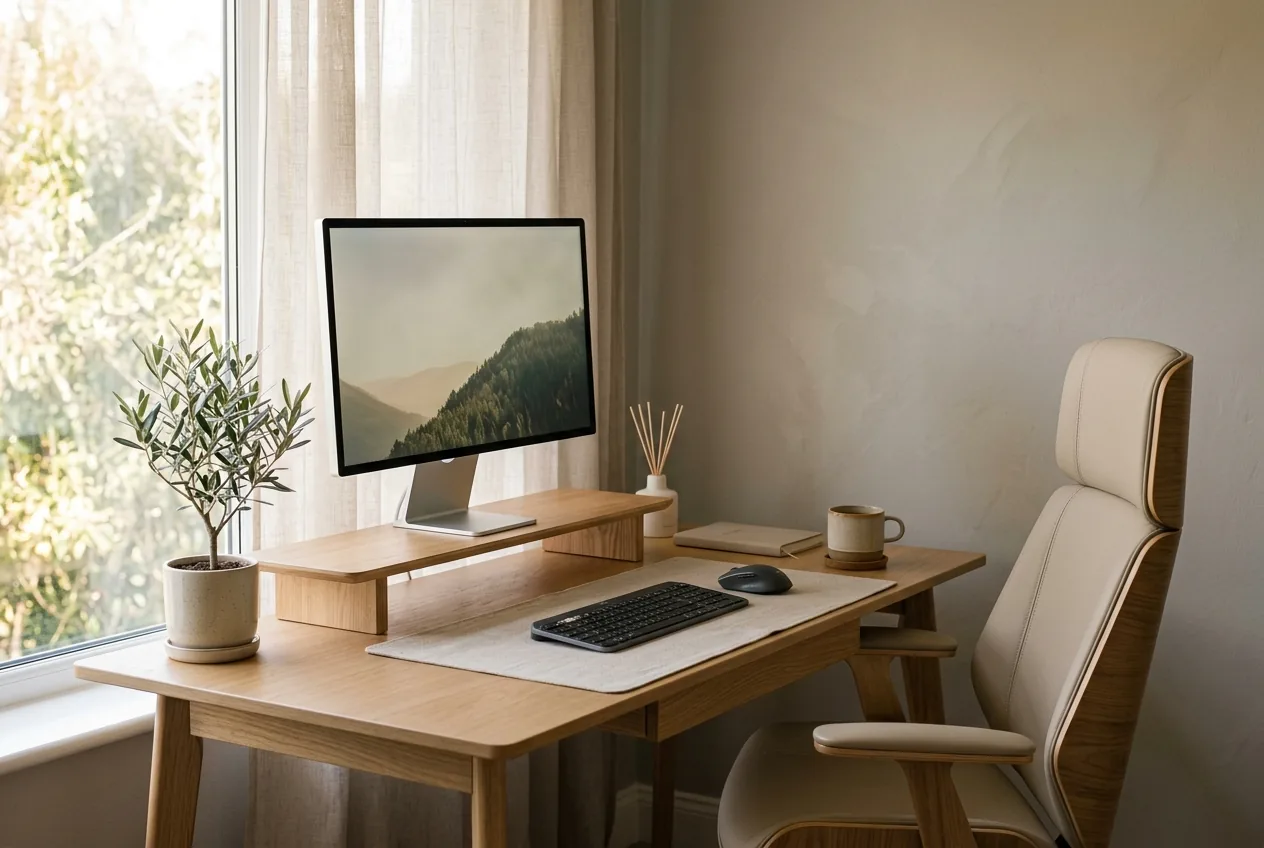
If you've bought the chair everyone recommends and your back still aches by mid-afternoon, you've already learned the uncomfortable truth: an ergonomic desk setup for back pain is less about the chair than about how the whole arrangement lines up around you. A great chair set up wrong is just an expensive bad chair.
The good news is that most of what works costs nothing. It's a matter of getting a few heights and distances right, then keeping them that way.
What "ergonomic" actually means for your back
Strip away the marketing and ergonomics comes down to one idea: arrange the workspace so your body can hold a neutral, stacked position without effort. When your setup is wrong, muscles have to compensate. Your neck holds your head out over the desk. Your lower back braces because the chair gives no support. Your shoulders creep up toward your ears to reach the keyboard.
Those muscles aren't built for an eight-hour shift of low-grade holding. They fatigue, then they tighten, then the ache sets in. Fix the geometry and you remove the reason they were working overtime in the first place.
The aim isn't a single perfect posture you hold like a statue. The aim is a setup that makes a relaxed, neutral position the easy default, so you drift back to it instead of away from it.
Start from the chair, then work outward
Set things up in order. Each adjustment depends on the one before it.
- Chair height first. Set the seat so your feet rest flat on the floor and your knees sit at roughly a right angle, hips level with or slightly above the knees. If your feet dangle, you'll perch forward and lose your low-back support. A footrest, or even a stack of books, fixes short legs.
- Hip-to-back contact. Sit all the way back so your hips meet the backrest. If there's a gap at your lower back, a small cushion or rolled towel fills it and keeps the natural inward curve. Most people don't need a fancy lumbar chair, they just need to actually use the back of the one they have.
- Desk and arm height. With your shoulders relaxed, your forearms should rest roughly parallel to the floor when typing, elbows close to a right angle. If your desk is too high, your shoulders shrug; too low, you slump. Adjust the chair to the desk, then deal with foot support.
- Screen height and distance. The top of your monitor should sit at about eye level, an arm's length away. This is the big one. A low screen pulls your head forward and down, and that forward-head load is behind a lot of neck and upper-back pain.
If you only fix two things, fix the screen height and the chair height. They drive most of the rest.
The screen is where most back pain hides
Your head weighs about 5 kilograms. When it sits stacked over your shoulders, your spine carries it easily. Tip it forward to read a low laptop screen and the effective load on your neck climbs fast, because the muscles at the back have to counterbalance a weight that's now hanging out in front.
Laptops are the main culprit. The screen and keyboard are joined, so you can't have both at the right height at once. The fix is cheap: raise the laptop on a stand or a box until the top of the screen hits eye level, then add a separate keyboard and mouse at forearm height. Two inexpensive items solve a problem no chair can.
This forward-head pattern is the same one that drives forward head posture and the tension headaches that come with it. Getting the screen up is the single most useful thing most desk workers do for their necks.
Raise the screen to your eyes. Don't lower your eyes to the screen.
Sitting, standing, and the myth of the perfect chair
A standing desk gets sold as the cure for desk-related back pain. It can help, but standing all day creates its own problems, and plenty of people find their lower back complains just as loudly at a standing desk as a seated one. If that's you, there's a dedicated breakdown of standing desk lower back pain.
The honest answer is that the best position is your next one. Alternating between sitting and standing beats locking into either. If you don't have a sit-stand desk, build movement in another way: stand for calls, walk to refill water, set a timer that gets you up every 30 to 40 minutes.
How you sit between those breaks matters too. If your lower back is already sensitive, the way you arrange yourself in the chair can ease or worsen it, which is covered in how to sit with lower back pain.
Cheap fixes that punch above their price
You don't need to spend much to make a real difference:
- A laptop stand or a sturdy box to lift the screen.
- A separate keyboard and mouse so your arms sit at the right height.
- A rolled towel or small cushion for lumbar support.
- A footrest if your feet don't reach the floor.
- A timer or app that nudges you to move.
None of those is glamorous. All of them remove a reason your muscles were straining.
When to see a doctor
A good setup eases everyday desk stiffness. It won't address everything. See a clinician promptly if you have numbness or weakness spreading into a limb, any loss of bladder or bowel control, back pain after a fall or accident, fever with back pain, unexplained weight loss, or pain that's severe or steadily worsening. Those need a professional, not a footrest.
Why two people need different setups
Here's the catch with any generic ergonomic checklist. The "right" angle for one person can aggravate another, because the two are carrying different postural imbalances. Someone with a forward-tilted pelvis and someone with a flattened lower back will be most comfortable in noticeably different positions, even at the same desk. A setup tuned to your specific pattern beats a one-size guide every time.
That's why the most durable fix pairs a sensible desk arrangement with knowing your own deviations. A quick posture assessment that measures where you actually sit out of alignment turns generic advice into something matched to you, then gives you a short daily routine to hold the gains.
Set the chair and screen this week. Add the cheap fixes. Then let your body, not a product page, tell you what it still needs. For more on managing pain that builds over the workday, the guide on back pain from work covers the daily habits that sit alongside a good setup.
Common questions
What is the correct height for my monitor?
The top of the screen should sit at about eye level so you're not tilting your head down or craning up. An arm's length away is a good starting distance.
Where should my chair's lumbar support sit?
It should fill the natural curve of your lower back, roughly at belt height, without pushing you into an exaggerated arch. If it adds pressure rather than easing it, adjust the height or depth.
Does an expensive ergonomic chair fix back pain?
It can remove obvious strain, but it doesn't address the imbalance underneath. Two people at the identical chair often need different settings, and one may still ache while the other doesn't.
How often should I change position even with a good setup?
Regularly. The best posture is the next one, so stand, walk, or shift every half hour. A perfect setup held motionless still loads your back over a full day.