You've adjusted your chair a few times, maybe propped your laptop on some books, and called it good. But by mid-afternoon your lower back is aching and your neck is stiff, and you suspect the desk has something to do with it. It probably does. Most workspaces are assembled by accident — a chair from one place, a monitor at whatever height it landed, a keyboard pushed back so there's room for the coffee.
A proper ergonomic assessment fixes that by going through your setup deliberately, one contact point at a time. You don't need a consultant or special tools. You need ten minutes, a mirror or a phone camera, and a checklist that goes in the right order. This walks you through it.
Start from the body, not the furniture
The mistake most people make is adjusting the furniture to fit the room. The right order is the opposite: set your body in a neutral, supported position first, then bring the furniture to meet it. That single shift in approach is what separates a real assessment from fiddling.
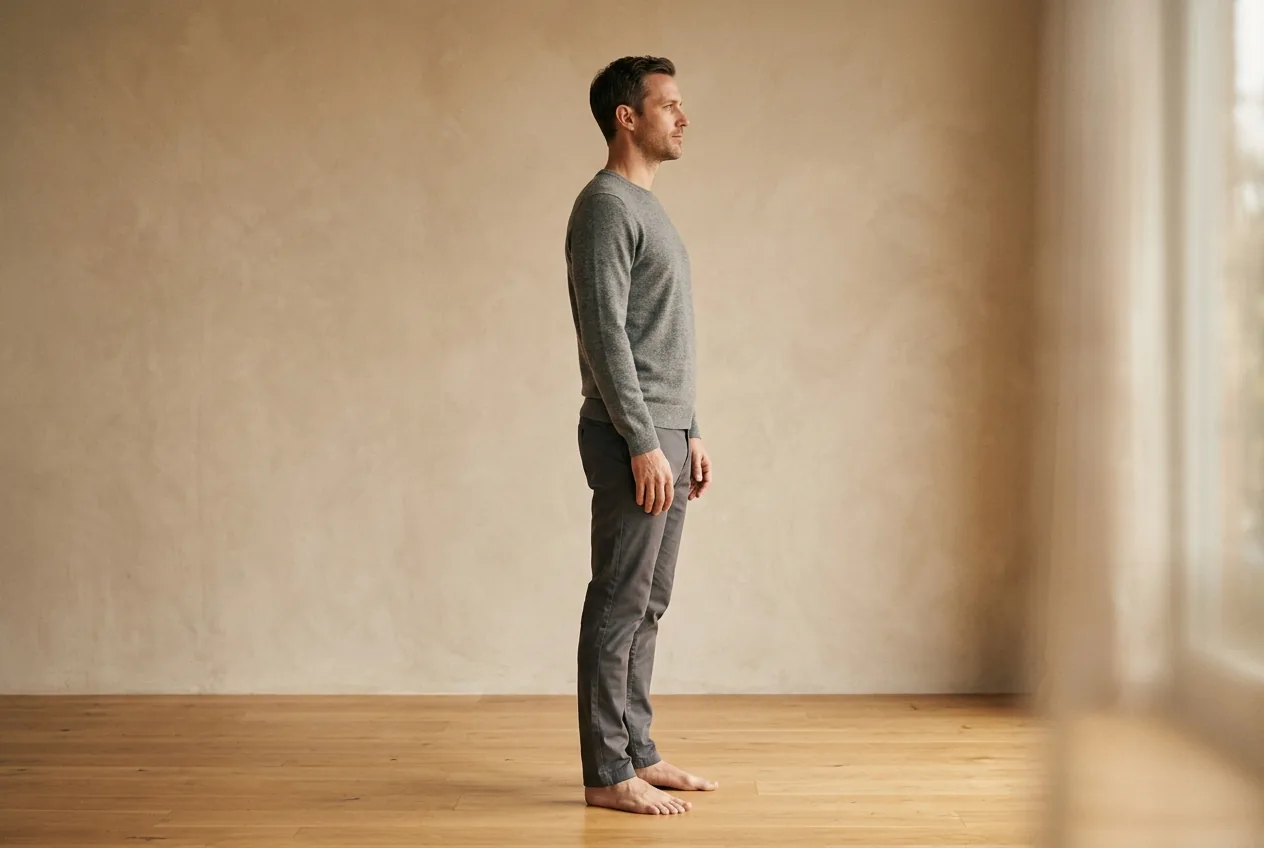
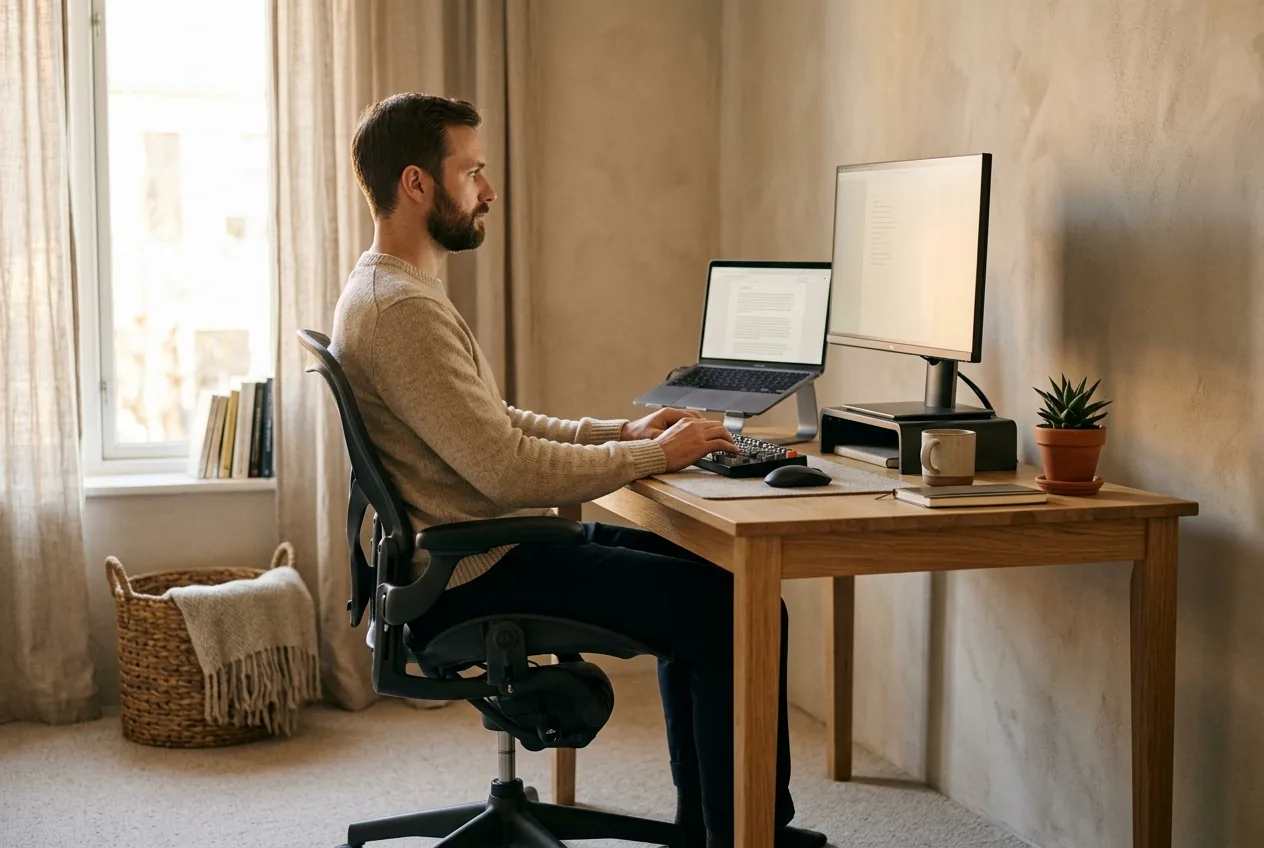
Neutral, for the purposes of this assessment, means: feet flat and supported, hips slightly higher than knees, spine stacked and upright without strain, shoulders relaxed down, forearms roughly level, and your head balanced over your shoulders rather than poked forward. If you're not sure what that feels like, proper sitting posture describes it in detail. Hold that position, then assess each contact point against it.
Work through the contact points in order
Go in this sequence. Each one affects the next, so doing them out of order means redoing them.
1. The chair height. Sit fully back in the chair. Your feet should rest flat with your thighs roughly parallel to the floor or your knees slightly below your hips. If your feet dangle, the chair is too high — raise it and add a footrest. If your knees are higher than your hips, it's too low.
2. The seat depth and back support. You should be able to fit two or three fingers between the front edge of the seat and the back of your knees. The lumbar support should meet the inward curve of your lower back. If your chair has none, a small cushion or rolled towel in the lower-back gap does the job. A chair built for this makes the whole assessment easier, which is why an ergonomic chair for back and hip pain is worth the attention.
3. The desk height. With your shoulders relaxed and elbows at your sides, your forearms should be roughly level with the desk — bent at about a right angle when typing. If you have to lift your shoulders to reach the keyboard, the desk is too high. If you have to drop or splay your arms, it's too low. Getting this number right is its own small project, covered in the right desk and chair height.
4. The keyboard and mouse. Keep them close, directly in front of you, so your elbows stay near your body. Reaching forward for the keyboard pulls your shoulders and head forward all day. Your wrists should stay straight, not bent up or down.
5. The monitor. This is the big one for necks. The top of the screen should sit at or just below eye level, and it should be about an arm's length away. Too low and you'll drop your head forward for hours. A laptop on the desk is almost always too low — raise it on a stand and use a separate keyboard.
Use your phone to catch what you can't feel
Here's the step most self-assessments skip. You can't see your own posture while you're in it. Set your phone to one side, at desk height, and take a photo or short video of yourself working normally — not posing, working. Then look.
You're checking three things: Is your head poked forward past your shoulders? Are your shoulders rounding in? Is your lower back slumped into a C-curve rather than supported? The camera shows you the truth your body has stopped noticing. This is the same principle behind a check at home — what feels normal after years of habit is often well off neutral.
The part no chair fixes: movement
A perfect setup held for eight straight hours still hurts, because the human body isn't built to hold any single position that long — even a good one. The best-assessed desk in the world needs interruption.
- Stand or walk for a minute or two every half hour. A timer helps until it's habit.
- Run through a couple of desk stretches once or twice a day.
- Alternate sitting and standing if you have a standing desk, rather than committing to either all day.
Movement is the variable that does the most and costs the least. Treat it as part of the setup, not an extra.
When to see a doctor
An ergonomic assessment is about prevention and comfort, not diagnosis. If you already have pain that's more than ordinary stiffness — numbness, tingling, or weakness in an arm or leg, pain that follows a fall, pain with fever or unexplained weight loss, or pain that's severe or steadily worsening — see a clinician rather than assuming the desk alone explains it. A better setup helps almost everyone, but it isn't a substitute for getting persistent or worsening symptoms looked at.
From a good desk to your own pattern
A solid ergonomic setup removes the obvious provocations — the dropped monitor, the slumped lumbar, the reach to the keyboard. For a lot of people, that alone takes the edge off. But the desk is only half the equation. The other half is the posture pattern you carry into the chair in the first place, built over years of how you sit, stand, and move.
Two people at the identical desk can hurt for different reasons, because their underlying deviations differ. A short posture assessment measures where your body actually sits out of neutral and builds a routine for that — so the time at your now-well-assessed desk works for you instead of against you.
Set the body to neutral, bring the furniture to meet it, then move often. That's the whole assessment in one line.
Common questions
How often should I redo my ergonomic assessment?
Run a full check whenever something changes — a new chair, a new desk, a new laptop, or a move to working from home. Otherwise, a quick once-over every few months catches the drift that creeps in as you nudge things around. Take a fresh phone photo each time; it's the fastest way to spot what's slipped.
Can I do an ergonomic assessment myself or do I need a professional?
You can do a thorough self-assessment in about ten minutes with a checklist and a phone camera, and that catches most common setup mistakes. A professional assessment is worth it if you have a complex situation, persistent pain despite a good setup, or specific accommodation needs.
What's the single most important thing to get right?
Monitor height, for most office workers. A screen that's too low pulls your head forward for hours and drives the neck and upper-back tension that's so common at desks. Raising the top of the screen to roughly eye level is the highest-impact change you can make.
Will a perfect ergonomic setup stop my back pain?
It removes the obvious provocations and helps a lot of people, but it won't fix pain on its own if the underlying cause is a posture pattern you carry everywhere, not just at the desk. Pair a good setup with regular movement and, where pain persists, a routine matched to your own deviations.